

Native or cross-platform in 2026? A decision framework for founders
React Native, Flutter and Kotlin Multiplatform have matured. Native still wins in specific cases. A decision table, the cost drivers and the apps we shipped each way.
Listen to the summary ·
Read the transcript
Since August 31, 2026, every new Android app and every update submitted to Google Play must target Android 16. That rule lands on native and cross-platform apps alike, once a year, and it is a better place to start than benchmark charts.
Choose cross-platform, with React Native or Flutter, when the app is mainly forms, content, lists and payments, and one team should ship both stores. Native modules are still there when a single feature needs them.
Choose native when the product depends on Bluetooth hardware, real-time media, heavy animation or platform-specific design. For OHM Fitness we built native iOS and Android apps that drive the 20 electrodes of an EMS suit over Bluetooth Low Energy. When a dropped connection can stop a workout, that code cannot behave slightly differently on one platform.
Kotlin Multiplatform sits between the two. It shares business logic across Android and iOS, and it suits a team that already has a strong Android app in Kotlin.
Cross-platform is usually cheaper for screen-heavy apps, but rarely half the cost of two native apps. Testing, store submission, device quirks and native modules are still done per platform.
Before you commit, prototype the riskiest screen on real devices. The guide below has the decision table and the five questions we use to make the call.
AI-generated voice summary of this guide.

Since August 31, 2026, every new Android app and every update submitted to Google Play must target Android 16. That rule lands on native and cross-platform apps alike, once a year, and it is a better place to start this decision than benchmark charts.
For most new products, cross-platform frameworks now deliver near-native quality with one codebase and one team. Native still wins when the app’s core feature lives close to the hardware. The decision is less about technology than about what your app has to do well, and this guide gives the table we use with clients, what each path changes in the quote and the apps we shipped each way.
Native vs cross-platform at a glance
Cross-platform means one codebase for iOS and Android; native means a Swift app and a Kotlin app; Kotlin Multiplatform shares logic and optionally the UI. A web app skips the stores entirely. Versions below were checked on October 18, 2026: React Native’s latest stable release is 0.87, and Flutter’s docs reflect Flutter 3.47.
| Approach | Codebases | Team skills | Hardware and OS access | Best fit |
|---|---|---|---|---|
| Native (Swift, Kotlin) | 2 | iOS and Android engineers | Full, on the day Apple or Google ships it | Bluetooth devices, real-time media, platform-first design |
| React Native 0.87 | 1, plus native modules | React and TypeScript | Through native modules | Business apps; teams that also ship a React web app |
| Flutter 3.47 | 1, plus platform channels | Dart | Through plugins and platform channels | Design-led apps that must look identical everywhere |
| Kotlin Multiplatform | Shared logic, native or shared UI | Kotlin | Full on the native side | Android-first teams adding iOS |
| Web app or PWA | 1 | Web | Limited; no Web Bluetooth in WebKit | Portals, internal tools, link-driven flows |
The “best fit” column is our judgment from builds, not a ranking of frameworks.
Choose cross-platform when
Cross-platform is the right default when speed to both stores matters most, the app is mainly forms, content, lists and payments, and one team will maintain it.
Most business apps fit this description: booking, banking, marketplaces, member portals and internal tools. One codebase means one set of features, one release cycle and one team to hire. Native modules are still available when a single feature needs them, so choosing cross-platform does not close the door on platform APIs.
Choose native when
Native is the safer choice when the product depends on deep hardware access, when performance is the product, or when platform-specific design is a competitive edge.
Hardware is the clearest case. For OHM Fitness we built native iOS and Android apps that drive the 20 electrodes of an EMS suit over Bluetooth Low Energy, zone by zone, while the user trains. When a dropped connection can stop a workout, the Bluetooth code cannot behave slightly differently on one platform. We cover what that involves in building apps that control hardware, and the device-to-cloud side in BLE companion app development.
Other signals point the same way: camera pipelines that process frames live, background audio, widgets, watch apps and CarPlay, where each platform’s newest APIs arrive in Swift and Kotlin first.
- Mainly forms, content, lists and payments
- One codebase, one release cycle, one team
- Native modules when a single feature needs them
- Bluetooth hardware, real-time media, heavy animation
- Two codebases, two teams’ skills
- Newest platform APIs arrive here first
React Native vs Flutter
Both frameworks are production-ready in 2026, and both have removed their old performance complaints. React Native has run its New Architecture by default since version 0.76, a rewrite of its internals the team worked on for six years. Flutter’s Impeller renderer precompiles shaders when the engine is built, which removes the runtime shader-compilation jank older Flutter apps were known for; it is the only renderer on iOS and the default on modern Android devices.
The practical differences are about people and design:
- React Native uses React and TypeScript, so web teams can contribute and share business logic with a web app, and it renders real platform components.
- Flutter draws its own interface, so a highly custom design looks identical on every device, at the cost of working in Dart.
- Both have mature libraries for payments, maps, notifications and analytics.
If your team already writes React, React Native is usually the shorter path. If the product is design-led and you are hiring from scratch, Flutter is a strong option.
Kotlin Multiplatform: the third option
Kotlin Multiplatform shares business logic, such as networking, data models and validation, in Kotlin across Android and iOS, while each platform can keep its own native UI. Compose Multiplatform adds a shared UI layer on top, and JetBrains declared it stable and production-ready for iOS in version 1.8.0, in May 2025.
It suits a team that already has a strong Android app in Kotlin and wants iOS without a second codebase for the logic. It suits a web-first team less well, because nothing is shared with a React frontend. Treat it as a way to share the parts of an app that should never differ between platforms, such as pricing rules or a sync engine, rather than as a replacement for React Native or Flutter on every project.
Is cross-platform cheaper? What changes in the quote
Cross-platform is usually cheaper for screen-heavy apps, but rarely half the cost of two native apps.
When we quote a mobile build, these are the drivers that move the price, whichever path you pick:
- Platform count. iOS and Android, plus a web app if users need one. Each platform adds testing and release work even with a shared codebase.
- Native surface. Every feature that needs native code, such as Bluetooth, background tasks or a camera pipeline, is built and tested twice.
- Design fidelity. A design that follows each platform’s conventions is cheaper than a custom one that must look identical everywhere.
- Device testing. The range of phones and OS versions your users own, and how much of the app depends on them.
- Integrations. Payments, banking partners, streaming or device firmware usually cost more than the screens.
On our pricing, a mobile app is a Fixed-Price Build inside the $25k–$120k band, delivered in 6–16 weeks. A cross-platform app with standard integrations tends to sit lower in that band than a native app with a hardware layer. That is a pattern from our builds, not a quote; the number comes after discovery. For a worked example of how integrations drive a mobile budget, see fintech app development cost.
When a web app or PWA is enough
Skip the app stores when users arrive from a link, use the product occasionally and need nothing a browser cannot do. Internal tools, B2B portals, admin back offices and one-off payment or sign-up flows are usually better as web apps: no store review, one deploy, and no update the user has to install.
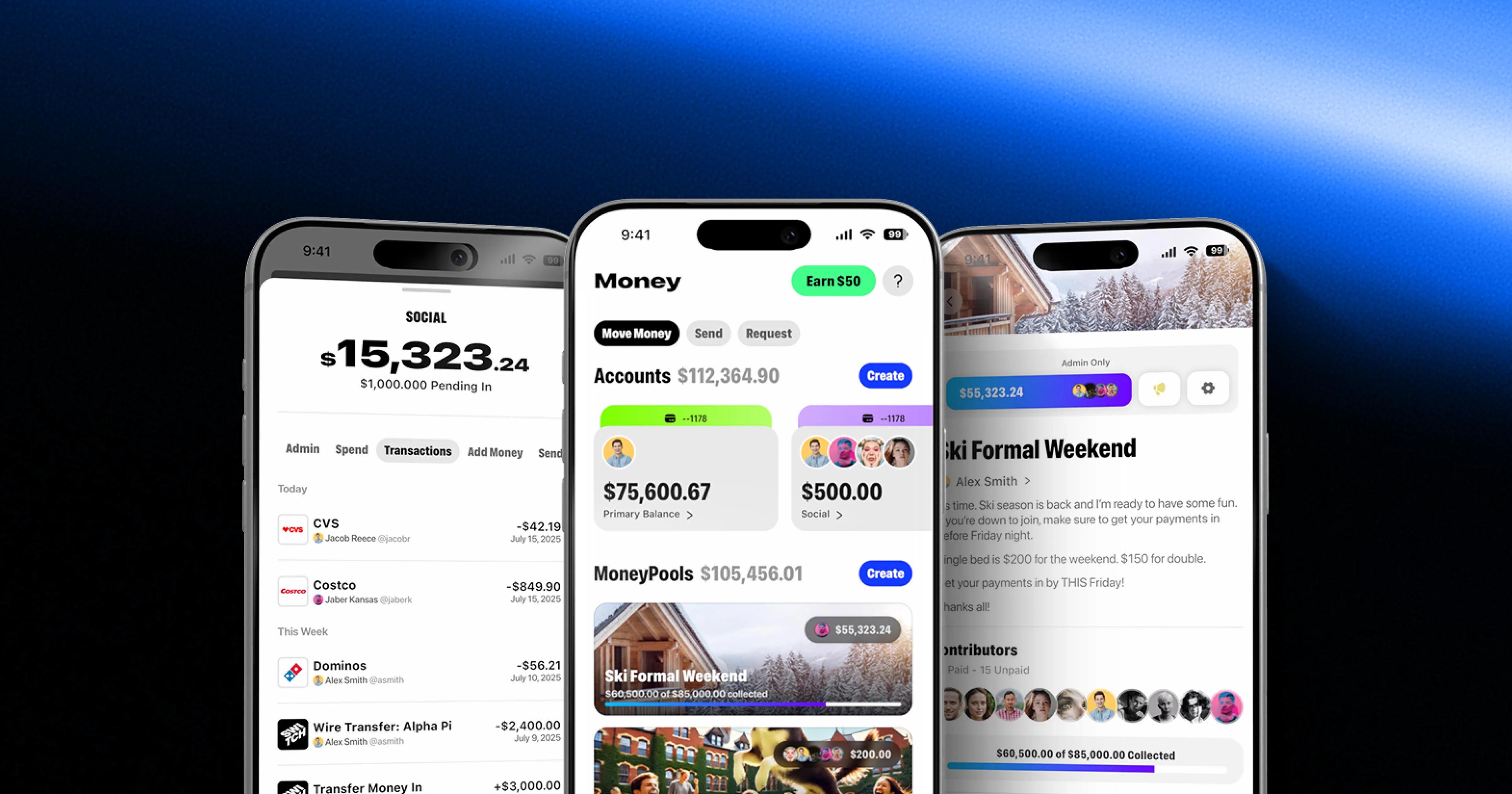
Switch shows where the line falls. Its shared accounts and cards live in iOS and Android apps, but MoneyPools, its payment-collection links, open in any browser without an install, because the person paying is often not a Switch user and should not have to install an app to pay.
A store app earns its cost when users come back weekly, need push notifications or background work, or touch hardware. Bluetooth is the clearest example on iPhone: WebKit, the engine behind every iOS browser, has declined to ship Web Bluetooth, so a device companion for iPhone users has to be an app.
Maintenance: the cost after launch
Every mobile app needs work each year even if no feature changes. Apple and Google ship a major OS release every year, store policies change, and SDKs deprecate old APIs.
A cross-platform app has one upgrade path for the shared code, but its framework version becomes one more dependency to keep current, and every native module is upgraded on both platforms. A native app has two upgrade paths and no framework layer in between. Neither is free. Budget for an upgrade cycle every year, and treat a framework that is three major versions behind as technical debt, not a stable choice.
Subscription apps add one more recurring cost: the store fee on every renewal. How those fees interact with creator or partner payouts is covered in our guide to store fees on subscriptions and creator revenue share.
Real apps and the path we chose
Each of these was a product decision first and a framework decision second:
- OHM Fitness: native iOS and Android. Live control of a wearable suit is the product, so the Bluetooth layer was written in each platform’s own language.
- Switch: React Native for iOS and Android, plus web. Shared banking for clubs and teams, with cards, roles and permissions in one React Native codebase for both apps, and MoneyPools on the web for people who will never download them.
- DubCam: iOS and Android apps plus web. Programs go live from a phone and fans watch and subscribe, so the platforms follow where fans already are.
Our mobile app development team builds both ways, and the choice is made per product in discovery.
How we make the call
We make this call in discovery, with a prototype of the riskiest screen on real devices before the build starts. Five questions decide most cases:
- Does the core feature touch hardware, such as Bluetooth, a camera pipeline or background execution? If yes, lean native, or plan native modules from day one.
- Is audio or video real-time? Live media pushes toward native or a cross-platform app with a native media layer.
- What does the team already write? React and TypeScript point to React Native, Kotlin to Kotlin Multiplatform, a fresh hire to Flutter or React Native.
- Is a web version needed? Sharing logic with a React web app is a strong argument for React Native.
- Which screen is riskiest? Prototype that one. If it holds up on real devices, cross-platform is safe; if it doesn’t, you learned that in two weeks rather than after launch.
Sources
- React Native versions, React Native
- React Native 0.76: New Architecture by default, React Native blog
- Flutter release notes, Flutter docs
- Impeller rendering engine, Flutter docs
- Compose Multiplatform 1.8.0 Released: Compose Multiplatform for iOS Is Stable and Production-Ready, JetBrains
- Tracking Prevention in WebKit, WebKit
- Meet Google Play's target API level requirement, Android Developers
Mobile App Development
Native and cross-platform iOS and Android apps, from fintech and streaming to connected hardware, designed, built and launched to the stores.
