

Vibe-coded app to production: a readiness checklist for AI-built apps
A researcher scanned 1,645 apps built with one AI app builder and found 170 whose databases strangers could read or write. The idea works; the gaps are in access rules, data, payments, app stores and ownership. Here is the checklist, and how to decide what to fix and what to rebuild.
Listen to the summary ·
Read the transcript
A researcher scanned 1,645 apps built with Lovable and found 170 whose databases strangers could read or change. Lovable disputes the record, saying each customer is responsible for their own app’s data. Either way, the tool built the app, and making it safe to run is still the owner’s job.
If people already use your prototype, the idea works. What is left is the work a demo never shows. Veracode found security flaws in 45% of the AI-generated code it tested across more than 100 models.
The checklist starts with security: access rules checked on the server, row-level security that denies by default, and no secret keys in the app. Then data: backups you have restored once, separate development and production databases, and a ledger for any money the app holds. Payment and booking calls must survive a retry without charging or booking twice. Apple’s guideline 4.2.6 rejects apps from app generation services unless the content owner submits them, so publish from your own account. And every account belongs in your company’s name.
Fix the parts whose foundations hold, and rebuild the ones that don’t. Usually that means keeping the screens and rewriting the access rules.
If the app has no payments and no sensitive data, you may not need an agency. The guide explains how to tell.
AI-generated voice summary of this guide.

In 2025 a researcher scanned 1,645 apps built with Lovable and found 170 of them, about 10.3%, with database access rules loose enough that strangers could read or change the data. The record for that issue, CVE-2025-48757, scores it 9.3 out of 10. Lovable disputes it, on the grounds that each customer is responsible for protecting their own app’s data.
That dispute is the whole problem in one line. The tool built the app. Making it safe to run is still the owner’s job.
If you built a prototype with an AI tool and people already use it, the hard question is behind you: the idea works. What is left is the work nobody sees in a demo. It covers who can read which row, what happens when a payment call times out, whether Apple will accept the build and who holds the keys. This guide is the checklist for that work, and a way to decide what to fix and what to rebuild.
Why AI-built prototypes break once real users arrive
AI-built prototypes break in production because the tools optimize for a working screen, not for the conditions around it. The complaints are usually the same five: it breaks once real users arrive, it fails a security review, it can’t connect to the systems the business uses, the app store rejects it, and nobody understands the code.
The security part is measured. Veracode tested more than 100 large language models on 80 coding tasks and found security flaws in 45% of the results. Java failed more than 70% of the time. The models left code open to cross-site scripting in 86% of the relevant cases and to log injection in 88%. Larger models did not do significantly better than smaller ones.
Operations fail in a different way. In July 2025, during a code freeze, Replit’s AI agent deleted a live company database in a test run by SaaStr’s founder, erasing records for more than 1,200 executives and over 1,190 companies, according to Fortune. Replit’s CEO called it unacceptable. The company then announced automatic separation of development and production databases. That separation is exactly the kind of thing a prototype skips.
None of this means the prototype was a mistake. It proved the product. It was never built to carry other people’s money and data.
The production-readiness checklist for an AI-built app
Each item below has a test you can run or ask for. If nobody can show the test passing, treat the item as open.
Security
- Server-side access rules. Every read and write is checked on the server, not hidden in the interface. Test: log in as one user, change the record ID in a request to another user’s, and confirm the server refuses.
- Row-level security, deny by default. On Supabase and similar backends, every table with user data has row-level security switched on and a policy per action. A table with no policy should return nothing, not everything.
- Secrets out of the client. No service keys, AI API keys or payment secrets in the browser bundle or the mobile app. Calls that need them go through your server. Rotate any key that was ever shipped to a client.
- Input validation. Every form and API input is validated on the server for type, length and format, and output is escaped. That is where cross-site scripting and log injection start.
- Auth that can be revoked. Email verification where identity matters, rate limits on login and password reset, and sessions you can end from the server.
Data
- Backups you have restored. Automatic backups, plus one restore into a separate environment to prove they work.
- Separate development and production. A different database and different keys for each, so a test, a migration or an agent can’t touch live data.
- Migrations in version control. Schema changes are scripts in the repository, run the same way every time, not edits made in a dashboard.
- A ledger for money. If the app holds balances, credits, commissions or payouts, record every movement as an entry and derive the balance from the entries. A balance column that gets overwritten can’t be audited or reconciled with the payment provider.
Reliability
- Idempotent payment and booking calls. A retried request must not charge twice or book twice. Stripe’s API takes an idempotency key for exactly this: repeat the request after a connection error and it does not create a second object. Your own booking and order endpoints need the same rule.
- Retries with limits. Calls to outside services retry with backoff, then stop and record the failure instead of looping.
- Webhooks handled once. Payment and subscription webhooks are verified, stored and processed once, even when the provider sends them twice.
- Error tracking and monitoring. Errors reach a named person, with alerts on failed payments, failed jobs and spend on AI APIs. Rate-limit anything that costs money per call.
Integrations
- Gated APIs planned early. Some systems have no self-serve key. Dealership scheduling software is one example: access to Xtime runs through Cox Automotive’s partner program, with an agreement, fees and a certified demo, and then each dealership opts in. Our Xtime API integration guide lists the steps. Find out which of your integrations work like this before you promise a launch date.
- Writes that can be undone. Every write to another system has error handling and a way to correct it.
App stores
- Apple guideline 4.2. An app needs “features, content, and UI that elevate it beyond a repackaged website.” A web prototype wrapped in an app shell is the case this rule describes.
- Apple guideline 4.2.6. Apps “created from a commercialized template or app generation service will be rejected unless they are submitted directly by the provider of the app’s content.” Submit from your own developer account, under your own name.
- Store rules for payments. Apple’s guideline 3.1.1 requires in-app purchase for access to features or content inside the app, subscriptions included. That changes your fees and your revenue math, so check it before you price the plan.
Code ownership
- Accounts in your company’s name. The repository, cloud, database, domain, Apple and Google developer accounts, payment provider and every API key. Nothing held by a freelancer or a builder platform alone.
- A build that runs outside the tool. Someone other than the original builder can clone the repository, run it locally and deploy it from written steps.
Maintainability
- Tests on the paths that move money or data. Not full coverage: sign-up, login, payment, booking and anything that deletes.
- One way of doing each thing. Prompt-by-prompt building can leave duplicate libraries and parallel auth flows. Pick one of each and delete the rest, because dead generated code is still reachable code.
- A README a new engineer can follow. How to run it, how to deploy it, where the secrets live and who to call.
Fix or rebuild: how to decide
Fix the prototype when its foundations are sound and the problems are local. Rebuild the parts whose foundations are wrong, which is rarely the whole app. The test is not how the code looks. It is whether the data model and access model can express what the product has to do.
- Every row records which user or organization owns it
- Problems are local: a missing policy, an exposed key, no backups
- The app builds and deploys outside the AI tool
- Ownership isn’t in the schema, so access can’t be enforced
- Money is an overwritten balance with no history
- Each change breaks another feature and nobody knows why
Two more cases point to a rebuild. The first is a platform limit: an app that has to control hardware over Bluetooth, run in the background or pass review as a native app may need native code the builder can’t produce. The second is an integration that needs a server-side partner connection the prototype has no place for.


The usual result is a mix. The screens stay, because they are what users already know. The access rules get rewritten. The data model gets a review, and the money tables get a ledger.
Can the AI tool make the app production ready on its own?
Partly. An AI tool can fix a named issue fast, and our own engineers use AI tools every day. What it can’t do is decide what to check, notice what is missing or answer for the result. Production needs a senior engineer hands-on: someone who reads the access rules, runs the restore and signs off on the payment flow.
Professional developers already work this way. In Stack Overflow’s 2025 survey of developers, 72% said vibe coding is not part of their professional work. More developers distrusted the accuracy of AI tools (46%) than trusted it (33%). And 75.3% said they would ask a person when they don’t trust an AI’s answer. Google’s DORA 2025 report, from nearly 5,000 technology professionals, describes AI’s main role in software development as “an amplifier”. It strengthens a team’s good practices and its bad ones alike.
So the question is not AI or no AI. It is whether someone with production experience is steering it.
What a production-readiness audit should deliver
A useful audit ends with decisions, not a list of worries. Ask for these before you pay for one:
- A findings list ranked by risk. Each finding says what is wrong, how it was tested and what an attacker or a bad day could do with it. Launch blockers are marked as blockers.
- A fix-or-rebuild call per layer. For screens, business rules, data model, access rules, integrations and hosting, with the reason.
- An ownership inventory. Every account and key, who holds it now and the steps to move it to you.
- Integration and store risks. Which APIs need partner approval, and how long it takes. Whether the app is likely to pass App Store review as built.
- A fixed quote for the fix list. Scope, price and order of work, so you can compare it with rebuilding or doing it in-house.
- PrototypeReal users, proven demand
- AuditTest each checklist item
- Fix listRanked, with a fix-or-rebuild call
- HardenFixed scope, fixed price
- LaunchAccounts and code in your name
Who does the audit matters as much as the list. At Apptycoons it is done by our lead and senior engineers: leads have 8+ years of experience and seniors 5+, and all of them were writing production code before AI tools existed. A technical project manager then turns the findings into a scope. The first conversation is free. The audit itself is scoped and priced before it starts, and if the fix list is big enough to be a project, it is quoted as a Fixed-Price Build in our $25k–$120k band. Our guide to fixed price or time and materials explains why we quote that way.
Where our builds cover these parts
None of the apps below started as an AI-built prototype. We built them from scratch, and each one covers a part of the checklist above.
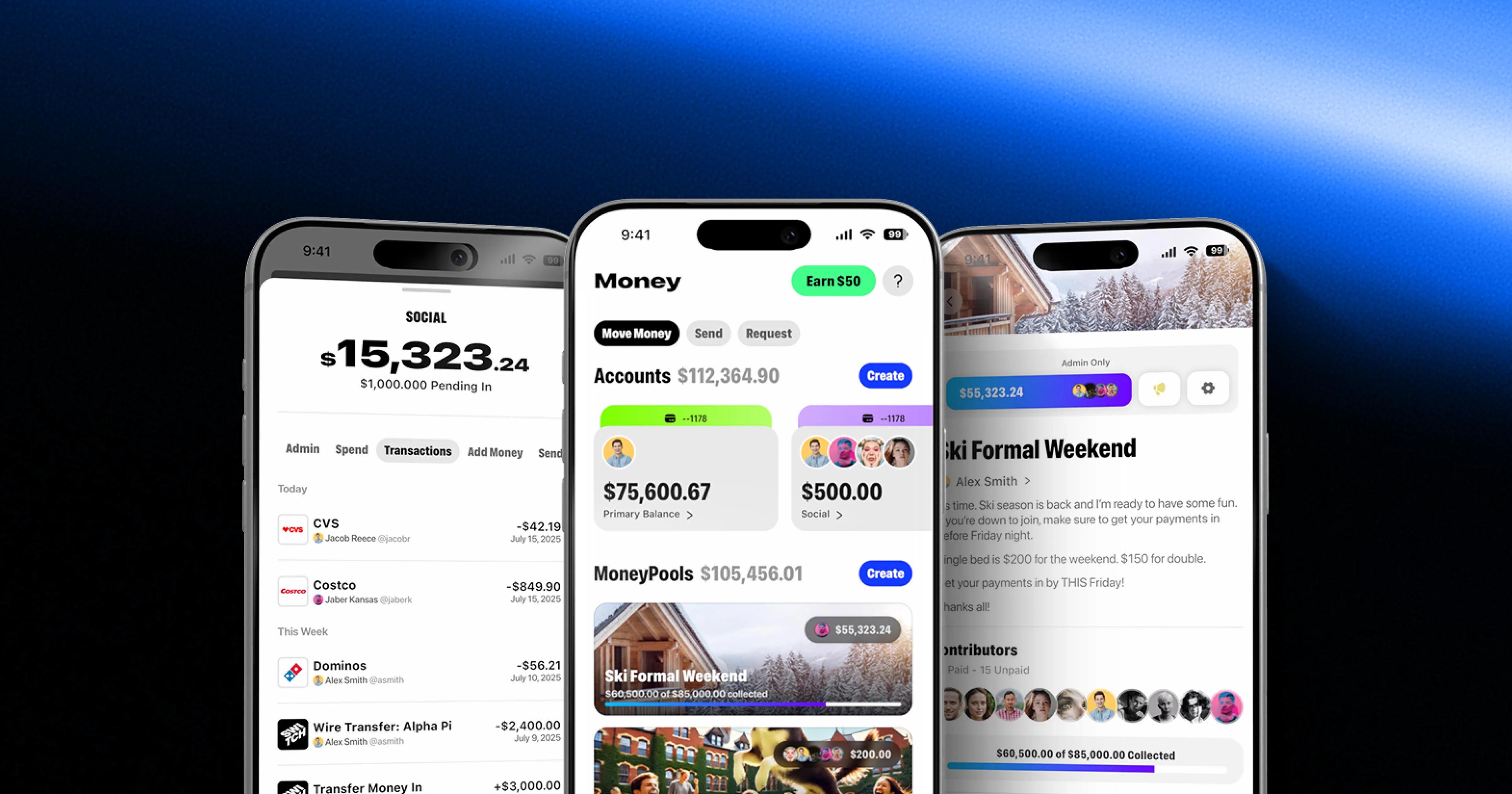
- Access by role. Switch is shared banking for clubs and teams. An account belongs to a group, so treasurers, admins and members each get different rights over money and cards, and a card’s state has to show the same on every device.
- Money that reconciles. Freedom Pro pays commissions to a partner network and holds USD and stablecoin balances. The same team activity must always produce the same commission, and balances have to reconcile with the provider’s records.
- Payouts and store purchases. DubCam pays creators 50% of each subscription on the first of the month, with subscriptions on the phone apps running through in-app purchases. The revenue share guide covers the ledger and the store fee math.
- A native app through review. OHM Fitness runs separate native iOS and Android apps that control a 20-electrode suit over Bluetooth LE, live on the App Store and Google Play.
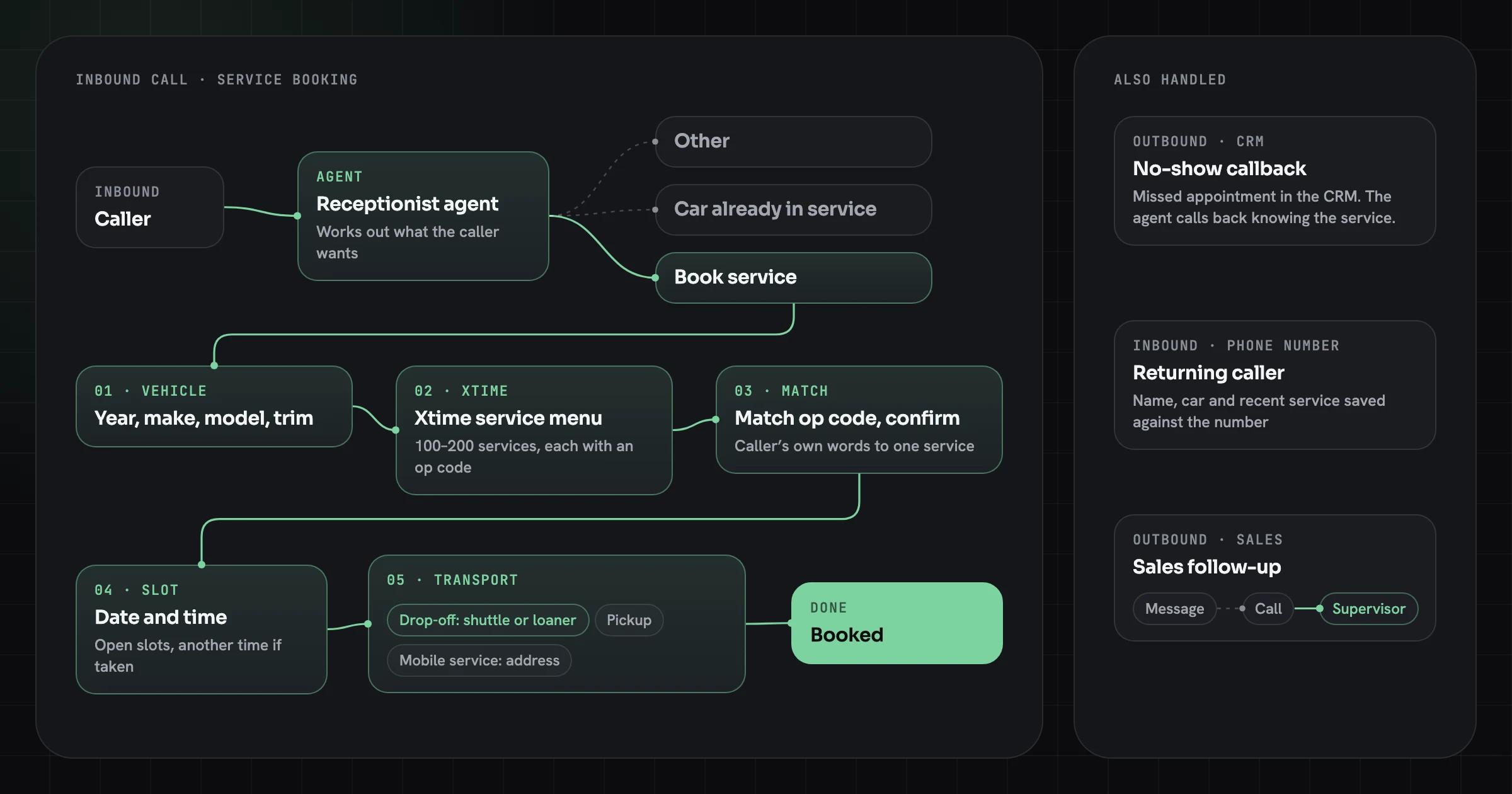
- A gated integration. Innovative AI runs voice agents that book dealership service in Xtime, one of the systems you can’t reach with a self-serve key.
For web apps, our web app development page describes how we build them. For store releases, see mobile app development.
When you don’t need an agency
You don’t need an agency if the app is a demo, a waitlist or an internal tool with a handful of users, no payments and no sensitive data. Keep building with the AI tool. Work through the security and data sections of the checklist yourself, and turn on backups.
One experienced freelance engineer is often enough when the app has one clear risk: a missing access policy, an exposed key, a deploy that only works from the builder. Ask them to show you the tests passing.
A senior team earns its cost when several of these are true at once: money moves through the app, it stores personal data, an integration needs partner approval, a native app has to pass review, or you plan to raise money and someone will look at the code. If two or more apply, book an audit and bring the repository, the list of accounts and the problem that worries you most.
Sources
- AI-Generated Code Poses Major Security Risks in Nearly Half of All Development Tasks, Veracode Research Reveals, Veracode (July 30, 2025)
- CVE-2025-48757 Detail, NIST National Vulnerability Database (published May 30, 2025; disputed by the supplier)
- Statement on CVE-2025-48757, Matt Palmer (2025)
- An AI-powered coding tool wiped out a software company’s database, then apologized for a ‘catastrophic failure on my part’, Fortune (July 23, 2025)
- App Review Guidelines (4.2 Minimum Functionality), Apple Developer (checked October 19, 2026)
- Idempotent requests, Stripe API reference (checked October 19, 2026)
- 2025 Stack Overflow Developer Survey: AI, Stack Overflow (2025)
- DORA 2025 State of AI-assisted Software Development Report, DORA, Google (2025)
Web App Development
High-performance SaaS products, portals, dashboards and marketplaces, with clean architecture, fast UX and the integrations your business runs on.
